Element Design System
A brandable design system. A brand is 22 dial positions, and everything else follows from them: variables, 41 components, dark mode, density, a Storybook and docs that AI tools can read.
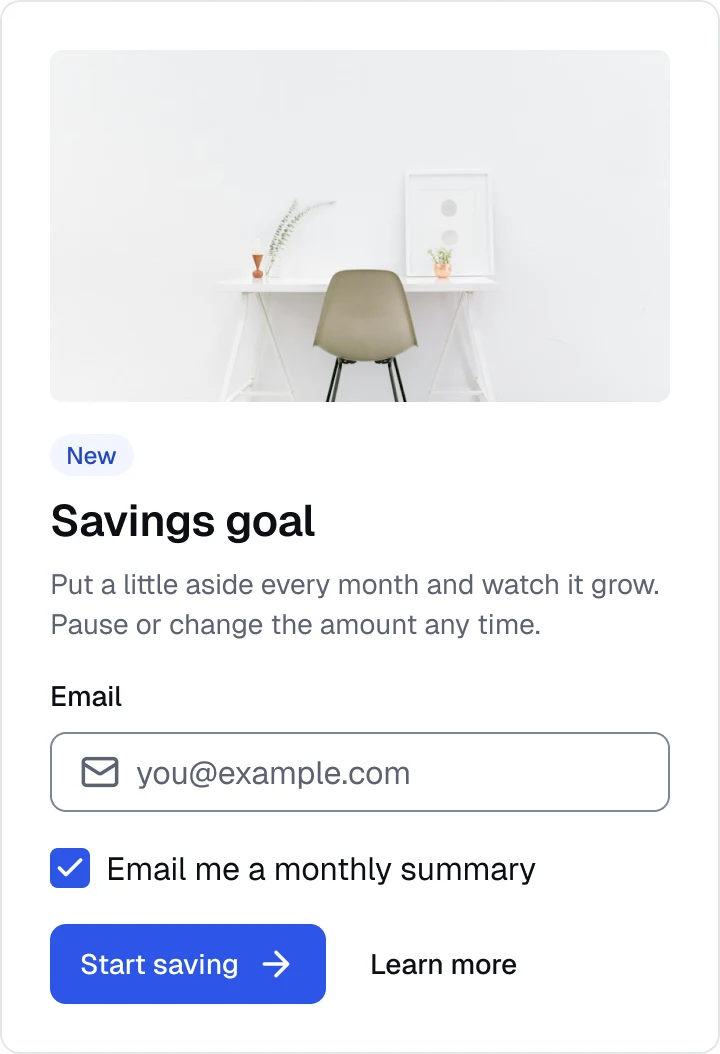
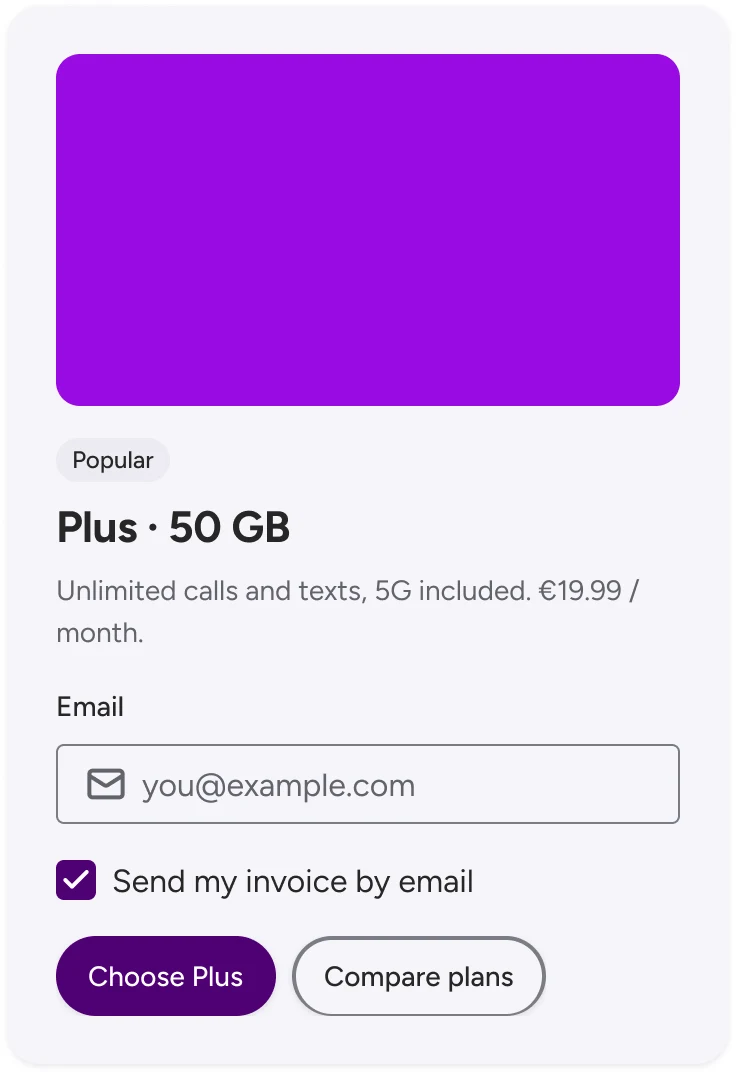
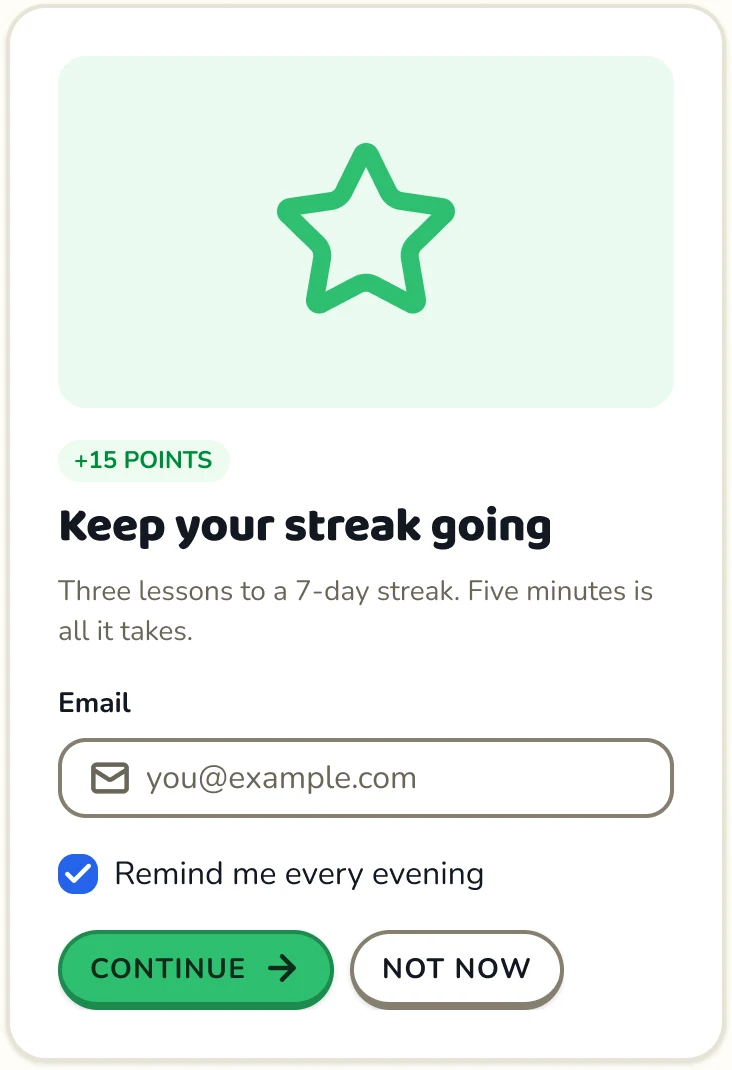

At a Glance
The Idea
Most multi-brand systems treat the second brand as a patch. I wanted to see what happens when the brand is the input.
The usual setup: one brand is the default, and every other brand is a file that overrides some of its values. Whatever the file forgets falls back to the default without warning. Shape and spacing are often wired to raw scales, so a brand that wants square buttons also gets square avatars. And when AI tools generate UI from the system, they copy pixel values because that is what the components contain.
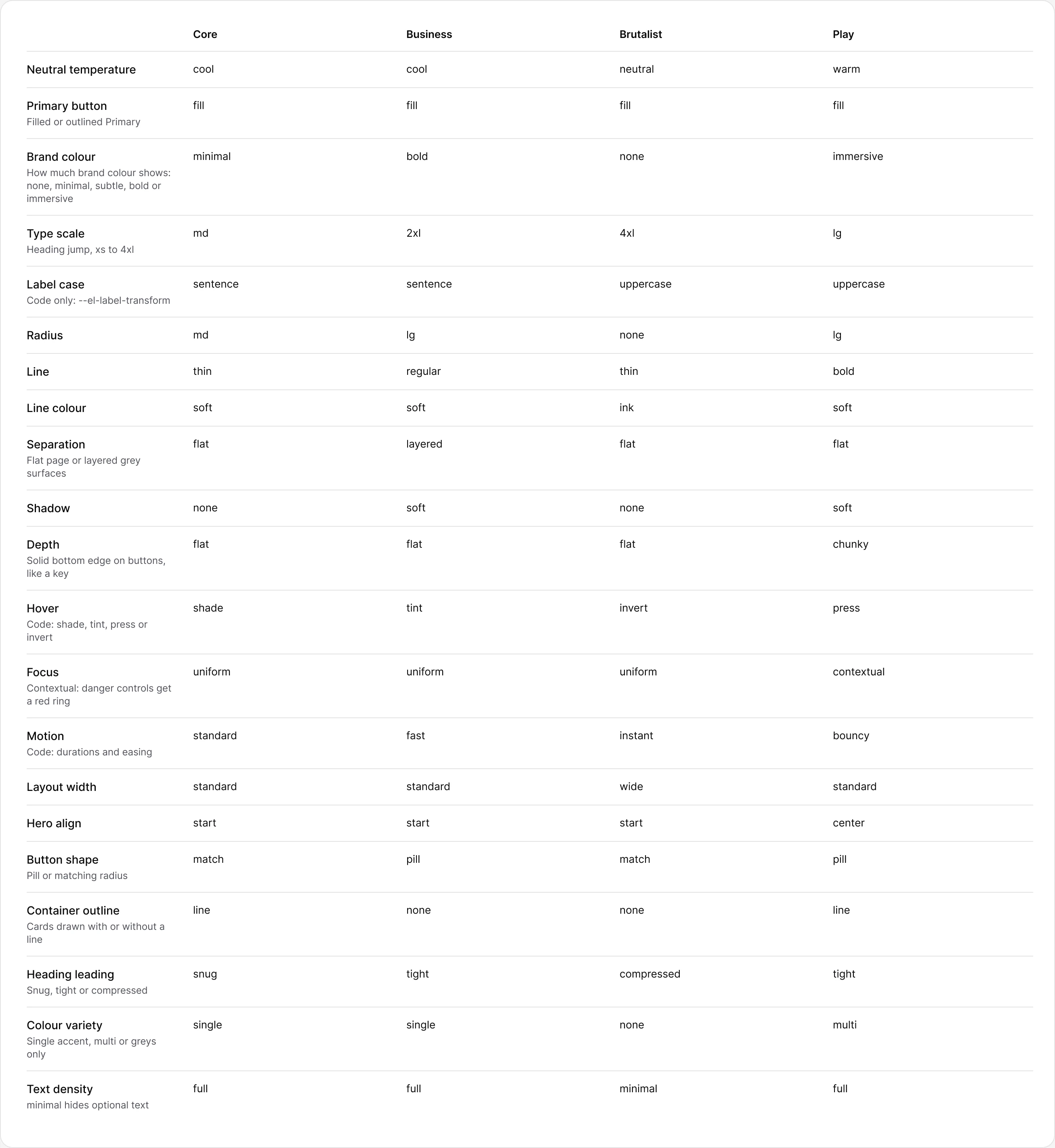
Element turns this around. A brand is a short list of named decisions — radius, line weight, depth, how much brand colour shows, type scale, label case, motion — and every variable, component and story is derived from those decisions. Components only ever read intent names such as radius/control or color/brand-text, never numbers. To prove it isn't four tints of one look, I built four brands that are deliberately far apart.
Research
Established systems get the documentation right and the brand model wrong
I studied how mature multi-brand systems, shadcn/ui and Material 3 handle theming, tokens and AI tooling. Three patterns kept coming up.
- Brand colours baked into names. A token or button variant named after a colour ties the API to one palette. A green brand ends up with a token called purple.
- Only colour is semantic. Shape, space and type are read straight from raw scales, so a brand can't change one component's corners without changing everything that shares the step.
- Good agent docs, no checks. Some systems already ship guidelines written for AI agents. Nothing verifies that generated code actually uses the tokens.
Worth keeping: a description on every semantic token saying where it is used, inverse surfaces as a first-class context, and guidelines that people and AI read alike.
| Override model | Element | |
|---|---|---|
| A brand is | A file of overrides on top of the default brand | A set of named dial positions |
| A missing value | Silently falls back to the default brand | Stops the build |
| Shape and space | Read from raw scales | Read from named tokens: radius/control, space/gap-related |
| Token names | Can carry colour names | Intent only: brand, secondary, tertiary, status |
| Density, scheme | Light and dark at most | Brand × scheme × density, all independent |
Dials
A brand is a handful of decisions, written down
Each dial has a short list of named positions, and one file decides what every position means in numbers. Choosing radius: lg sets control, container, media, badge and checkbox corners together, each capped by its own rule. Choosing depth: chunky gives buttons a thicker bottom edge they sink into. The brand file never contains a pixel value.
Voice and imagery are dials too, stored as text variables in Figma. Brutalist states facts and never sells; Play is a cheerful coach that says “Not quite” instead of “Wrong”. Those rules sit next to the radius and colour values, so a person or an AI tool writing copy for that brand reads the same thing. A Brand rules page in Figma shows every dial, voice and imagery rule side by side, bound to the variables, so it updates itself when a brand changes.
Four Brands
Every bug turned into a rule, and every rule into a shared token
Four very different brands break things one brand never would. Each fix went into the dials or a shared token, so it applies to every brand at once.
Focus ring keeps its shape
A drop-shadow ring didn't render on Figma component variants, so the ring became an outset stroke frame. Its corners use a new token, radius/control-ring (control radius + 4), so a square button gets a square ring and a pill gets a pill.
Errors never rely on colour
In thin-line brands, 1 px borders made an error field differ from a normal one only by colour. The active and error stroke now has a 2 px floor in every brand.
Checkboxes never read as radios
In round brands a 20 px checkbox looked like a radio. radius/inner is capped at 6 px, and Radio ignores the radius dial entirely: it is always a circle.
Fills never match the page
On tinted, layered pages the muted and disabled fills disappeared into the background. They now step one shade further, and secondary text is checked for 4.5:1 against both surface and muted.
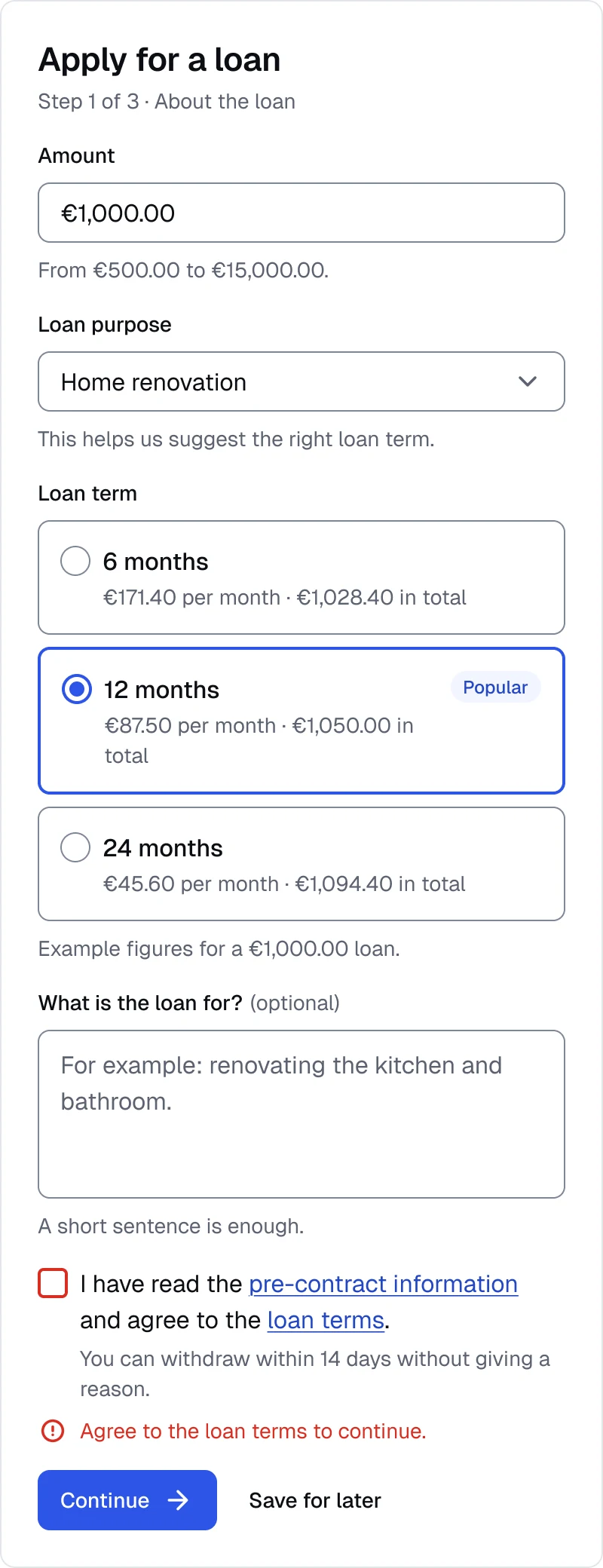
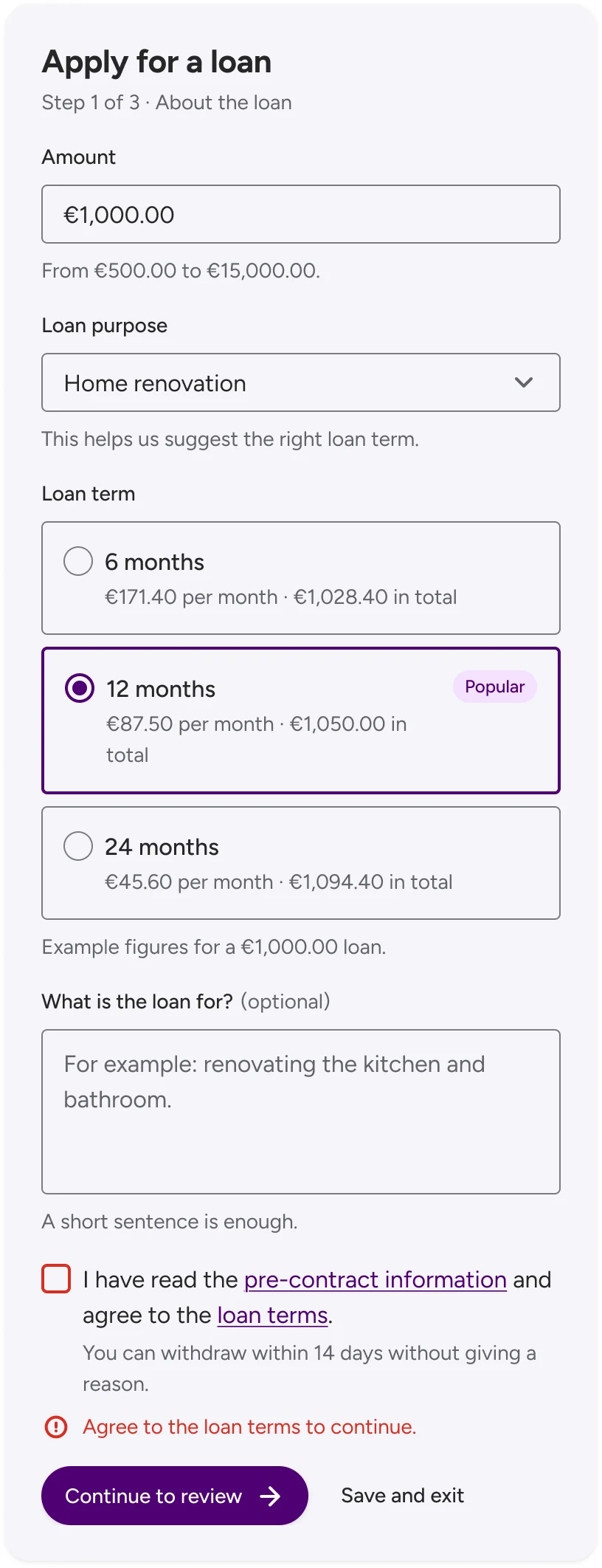
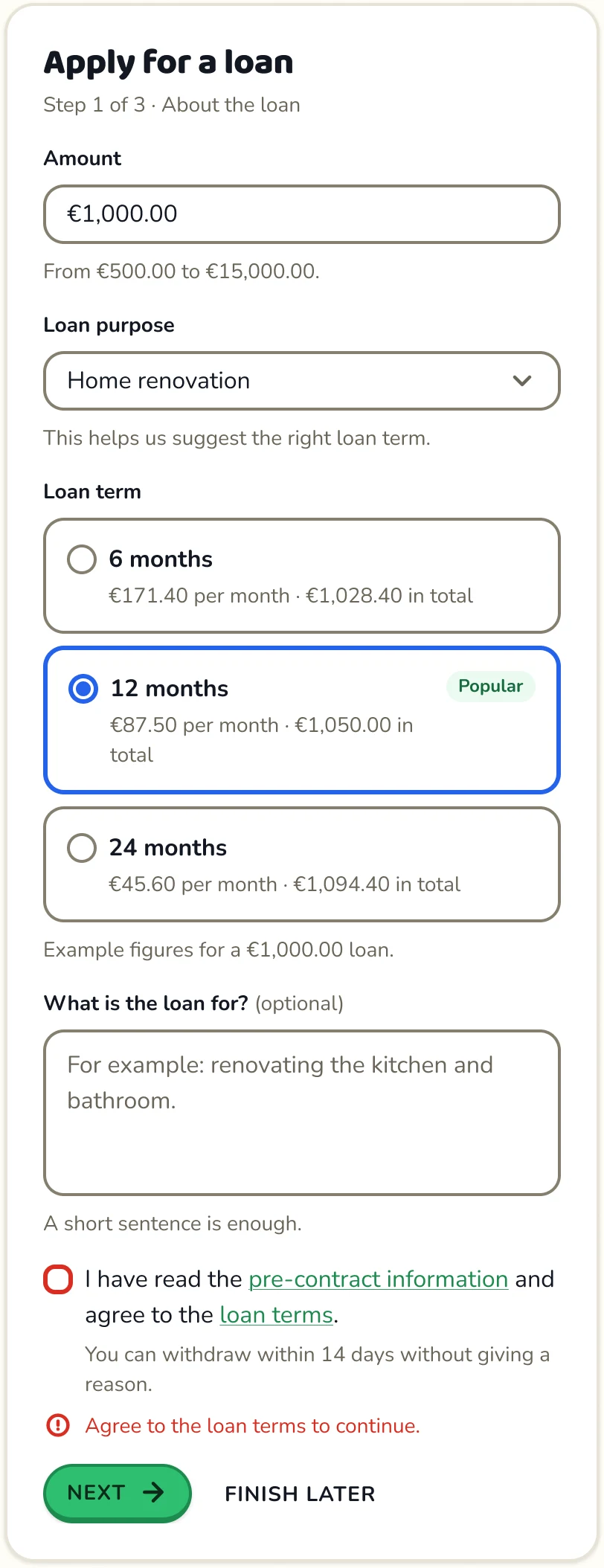
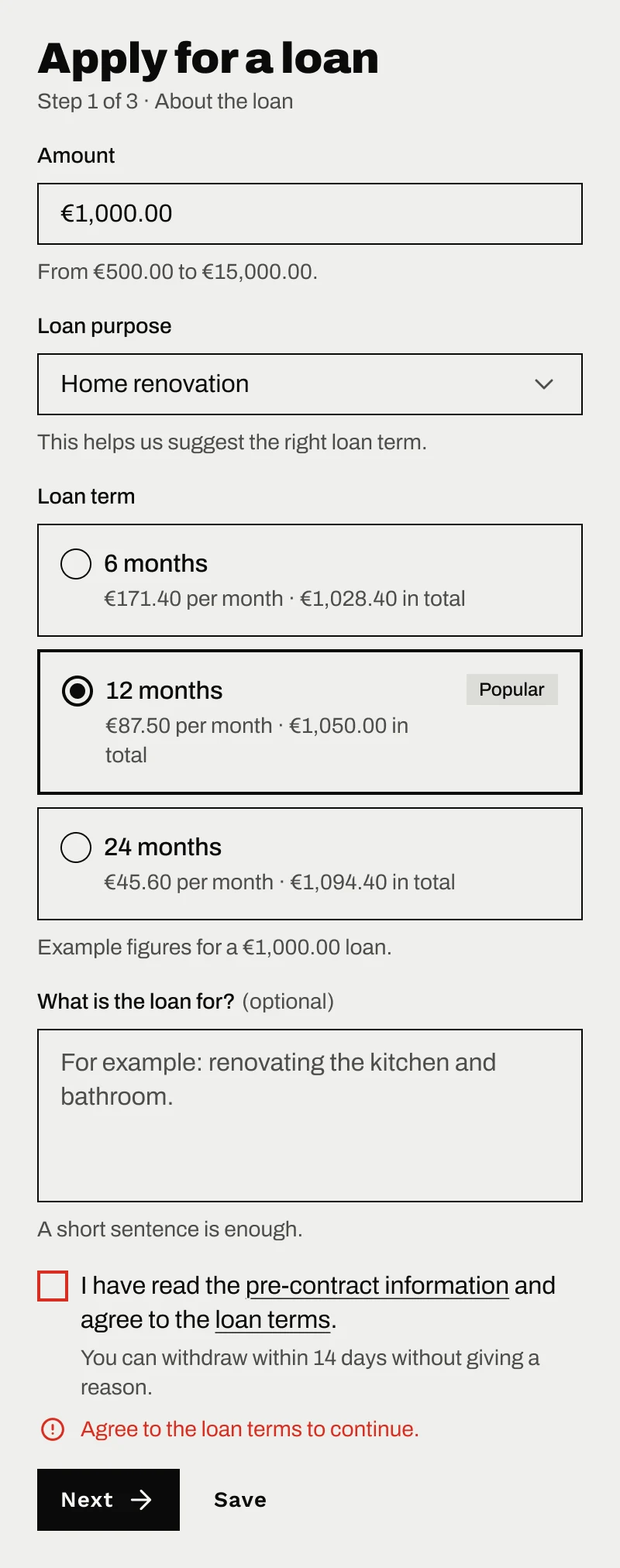
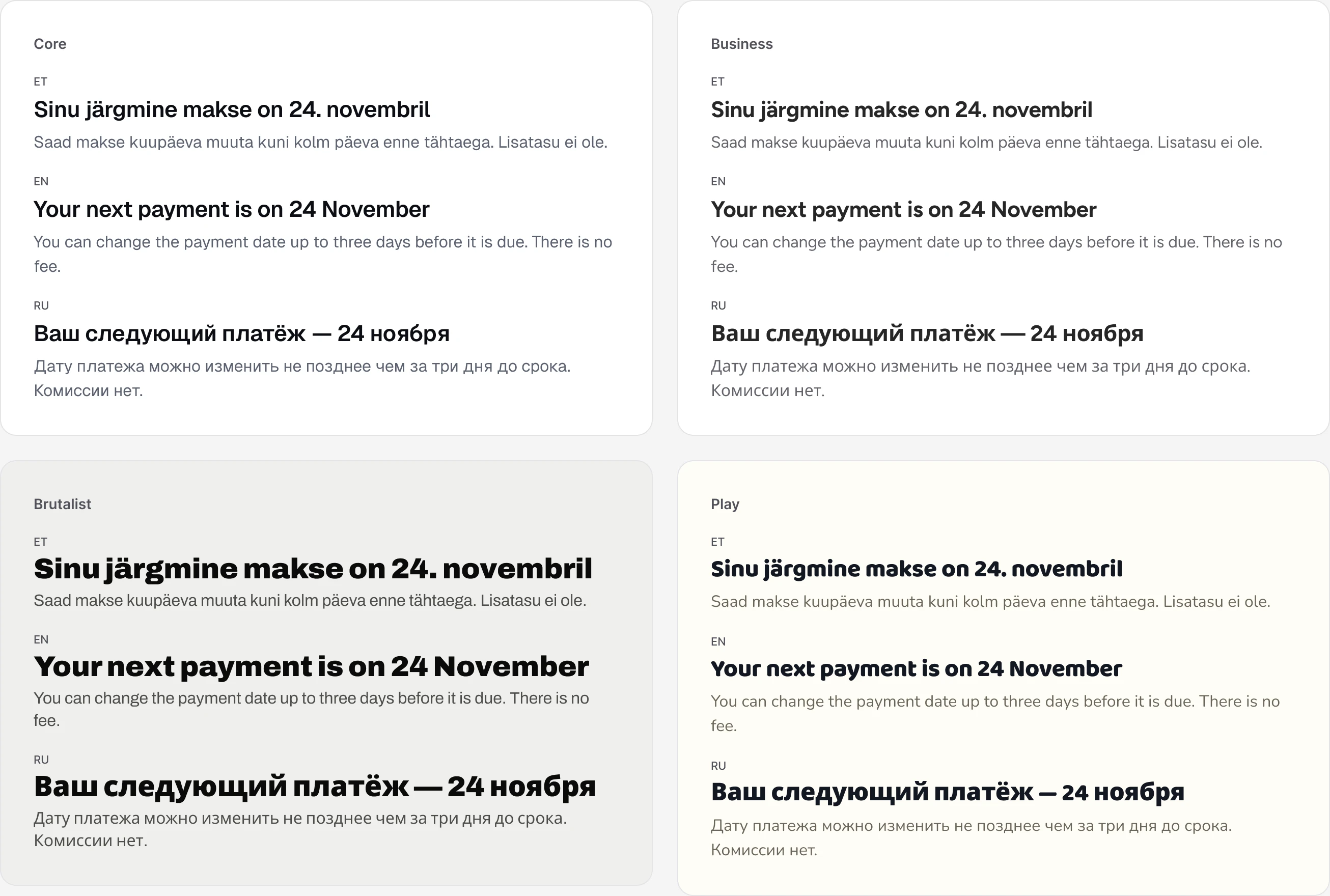
Some things Figma can't express at all. It can't bind text case to a variable, so uppercase labels and buttons are applied in code and described on the Figma Label style. Easing and hover movement are the same. Anything that exists only on one side is documented on both.
How It's Built
Component rules
41 components, all following the same four rules
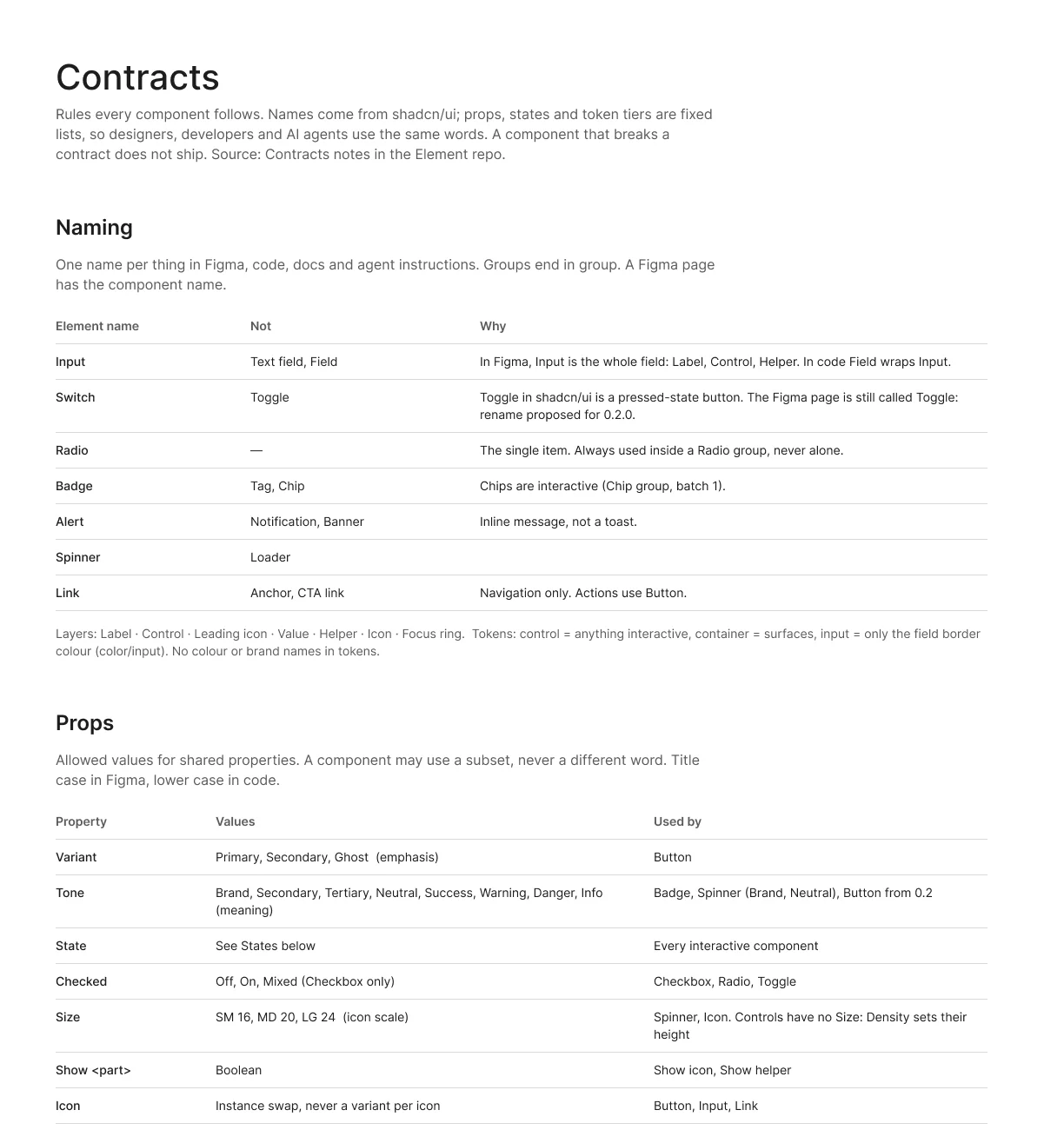
Before building past the first five components I wrote four component rules, so designers, developers and AI agents use the same words. They work like contracts in software: every component promises the same names, properties and states, and Figma, code and AI tools rely on that promise. Naming follows shadcn/ui. Properties are fixed lists: Variant is emphasis, Tone is meaning. States come from one list, and every interactive component has a Focus variant. Token levels say which tokens a component may use. A component that breaks a rule doesn't ship.
Actions
Button, Icon button, Link
Forms
Input, Textarea, Select, Checkbox, Checkbox group, Radio, Radio card group, Chip group, Switch, Consent
Feedback
Alert, Toast, Progress, Spinner, Skeleton, Empty
Display
Badge, Avatar, Card
Overlays
Dialog, Alert dialog, Drawer, Popover, Tooltip, Dropdown menu
Navigation
Tabs, Accordion, Breadcrumb, Pagination, Stepper, Header, Side navigation, Separator
AI
Message, Prompt input, Reasoning, Sources, Suggestions
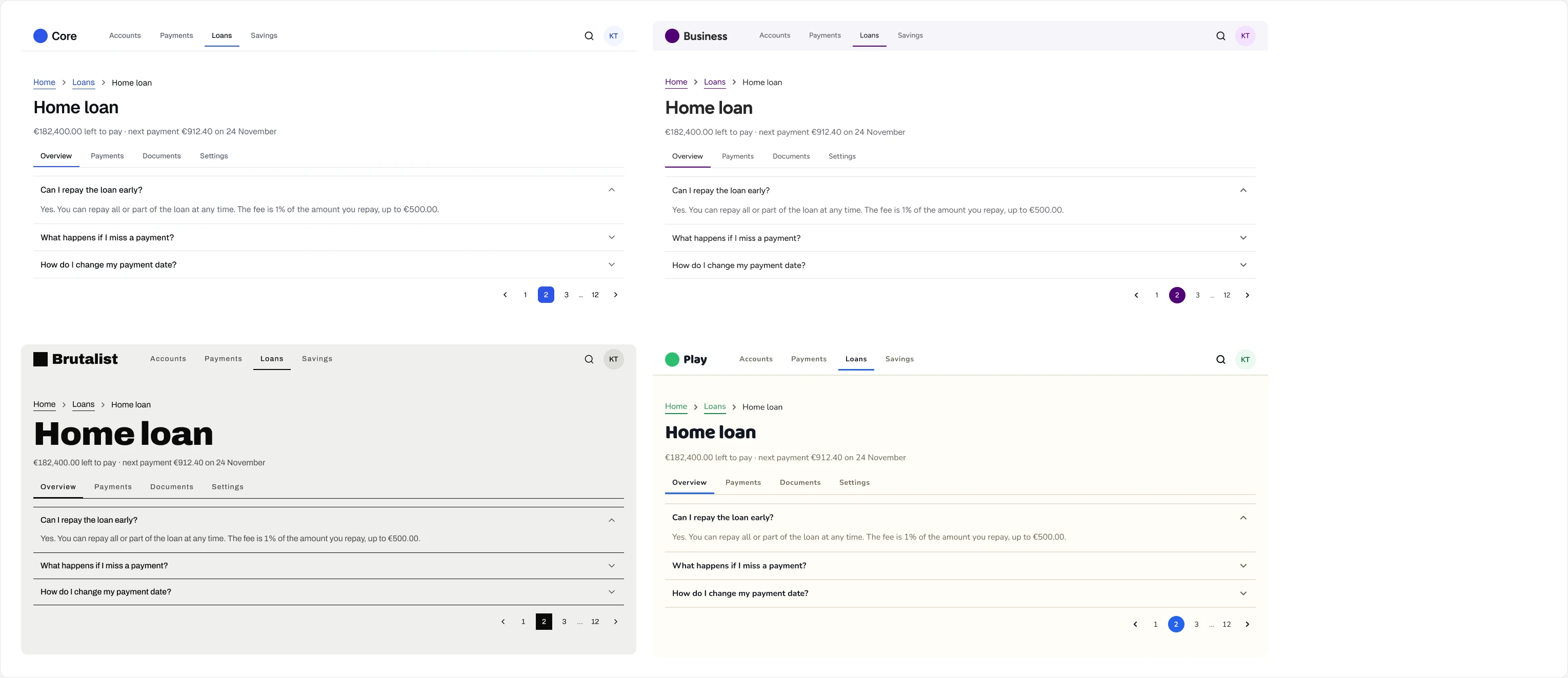
The system grows one component family at a time. Each family tests one dial and ends with a pattern page: the forms ship with a loan application, with validation, in all four brands. Each family is its own release, and a renamed property keeps working under its old name for one more release. The first rename turned Toggle into Switch and Button Variant=Danger into Tone=Danger, because danger is a meaning, not an emphasis.
Tokens
Four collections, and components only read the last two
Figma holds 414 variables: four token collections, plus 18 for the documentation itself. Each one has its own modes, so brand, scheme and density switch independently. Every public variable carries its CSS name (var(--el-radius-control)) and a description of where it is used.
Status palettes, focus width and offset, icon sizes
Palettes, fonts, type sizes, radius, stroke, shadow, motion, dials, voice
color/* — the only colours components use
Control height and spacing
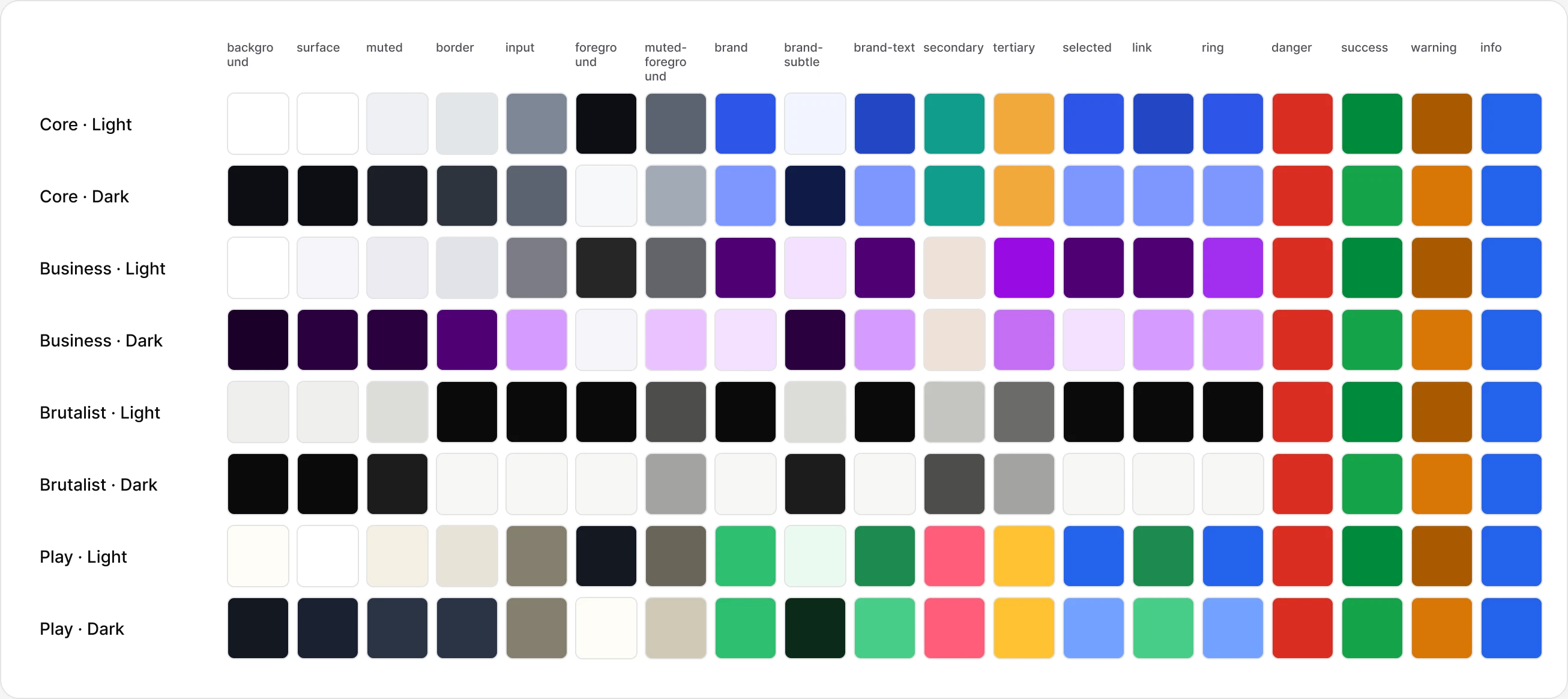
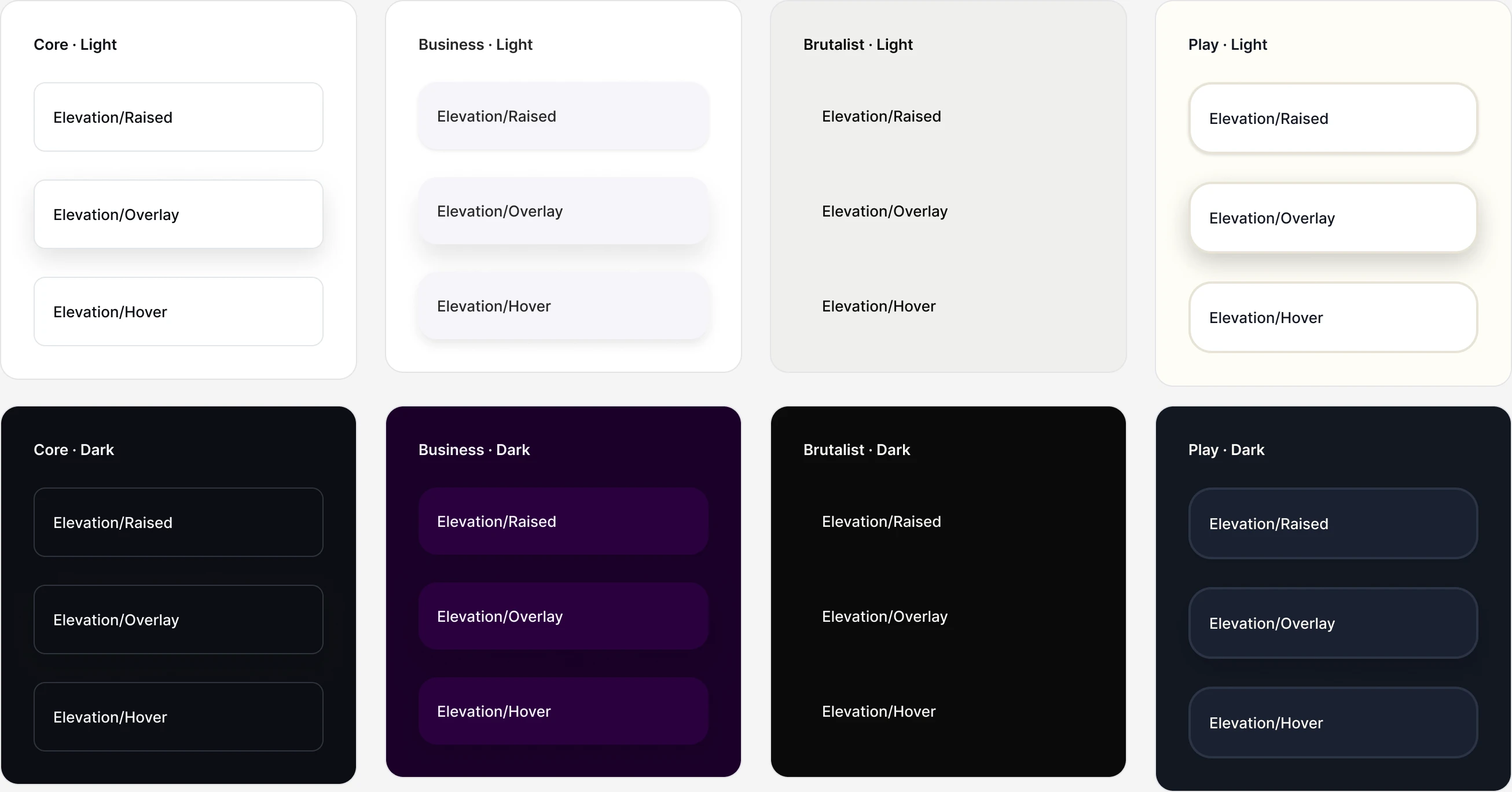
There are no component-specific tokens. Button reads radius/control, never button/radius. When a component needs to look different, it gets a new shared token instead: badges got radius/badge, checkboxes radius/inner, tall fields radius/control-multiline so a textarea never turns into a pill, and fields radius/field so Business can have pill buttons next to square-ish fields. Component-specific tokens would let brands fork single components, which is exactly the drift a brandable system is meant to stop.
Figma and code
Figma is the source of truth, and it drifted from code within a day
Storybook doesn't keep its own copy of the design decisions. A snapshot of every Figma variable is pulled into the repo, a small script turns it into CSS variables, and the React components read only those. Figma's variables API is Enterprise-only, so the snapshot is pulled through the Figma MCP server instead.
The drift showed up fast. My original dial build still had a finance brand that Figma had already replaced with another style. One day after the first snapshot, Figma had 374 variables instead of 364, and that brand's heading font had changed. Nothing was broken, but nothing told me either. It happened again when I reworked the four brands: I tuned them by hand in Figma first, then had to extend the dials until the build produced the same brands and push the result back.
That is the next piece: a token check that compares the Figma snapshot with what the code builds, lists every token that differs, and says which side to fix. Discipline doesn't keep two sources in sync. A check that runs on every change does.
AI layer
Docs an agent can read, checked against the tokens
A script reads every component from Figma and writes the documentation AI tools use: one main file with the rules and every token, a list of all components with their properties, states and tokens, one guideline per component, an index for AI crawlers and a skill that tells an agent how to build and review UI with Element.
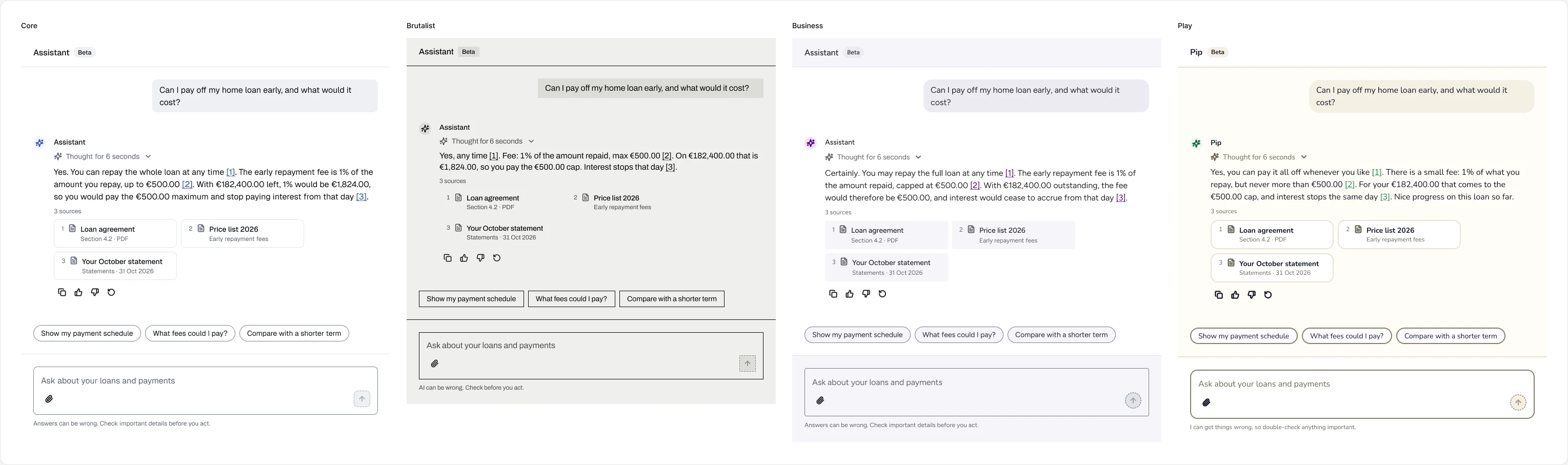
The same script is the check. It stops when a component uses a token that doesn't exist, when a token has no CSS variable, or when an interactive component has no Focus state. Guidelines come straight from the Figma descriptions, so there is one text to keep right, not two.
Built with AI
Parallel AI sessions need shared rules as much as people do
Several Claude sessions built Element in parallel: one on the dials and Figma variables, others on component families in Figma, one on Storybook. They shared a single context file with the status, the decisions log and a rule for each area. A session could mark a page as “in progress, don't edit” and the others respected it.
It still went wrong once. One session overwrote the dial definitions with an older copy and quietly dropped five review fixes, including the 2 px error floor and the ring radius. They were merged back the same day, and the context file gained a rule: always read the current file before writing it. Intent-only token names did their job here too. AI-written components had no pixel values to copy, so a fixed token fixed every component at once.
Reflection
Constraints belong in shared tokens
Every rule that survived review — ring radius, checkbox corners, tall-control radius — became a shared token, not a per-component exception. That is what keeps four brands on one set of components.
Two sources drift in a day
Figma and code disagreed within 24 hours with nobody doing anything wrong. A snapshot plus an automated check is the only sync I trust.
Show range, not tints
Four brands that look alike prove nothing. A brutalist brand next to a gamified one exposed the hairline-border and round-checkbox problems that one brand never would.
What's Next
- Token check between Figma and code, with a fix list per token.
- Data components: Table, Data list, Description list, Stat, Filter and Date picker.
- Estonian patterns: Smart-ID and Mobile-ID sign-in, personal ID code field, ET · EN · RU language switcher.
AI disclaimer.
- Claude sessions built the Figma variables, components and Storybook from my direction, rules and reviews.
- This case study was drafted with Claude from my project notes.